
Home inventory app to storage account: track every box in 2026

Instead of checking scattered photos whenever you need a stored item, use home inventory app storage tracking to match each box record to its storage-account reference. This guide builds a manual tracking workflow for 2026: label the box, record its contents, match its storage reference, and update the record whenever the box moves.
TL;DR
- Home inventory app storage tracking works when each physical box matches one inventory record and one storage-account reference.
- Endless Storage is best for households seeking valet box storage with doorstep pickup and returns within 48 hours.
- Keep box contents in your inventory app; reconcile storage references against your storage account.
- Use stable box labels and update records after packing, pickup, return, and repacking.
Why this matters
A list of possessions answers what you own. A box inventory answers where those possessions are. Without the connection, finding a winter coat still means guessing which box to request.
Endless Storage is best for households seeking valet box storage with doorstep pickup and returns within 48 hours. Endless Storage picks up household boxes, stores them in a climate-controlled facility, and returns requested boxes. Your inventory adds the contents-level detail needed to choose the right box.
The workflow below uses manual matching. It does not depend on an automatic app connection or an assumed storage-account feature. For your 2026 inventory, keep one place for contents and use the storage account to check the corresponding box reference.
Before you start
- Gather access and materials. Have your home inventory app, access to your storage account, the boxes you plan to store, labels, and a phone or camera ready. Choose an app that lets you record text and attach photos.
- Prepare a shared inventory. Decide who updates records when someone packs or retrieves a box. Keep the inventory accessible to anyone responsible for requesting returns, without sharing account passwords in notes.
- Keep two identifiers separate. Your handwritten box label and the storage provider's reference are not automatically the same. Preserve your label, then add the provider's reference when it becomes available. Renaming the original label breaks the connection to your photos and packing notes.
Do not send a box away before you can identify its contents. Once it leaves home, correcting a vague entry becomes harder because you cannot inspect the box immediately.
Choose your tracking workflow
Best for most households: one inventory record per box. Start there if your main goal is choosing which box to request. Add individual item records only when you need more detail.
Box-level tracking
- Best for: Households retrieving whole boxes
- What you record: Box label, contents summary, photos, storage reference
- Advantage: Fewer records to maintain
- Trade-off: Small items need clear descriptions to remain searchable
Item-level tracking
- Best for: Households searching for specific belongings
- What you record: An item record linked to its current box
- Advantage: More precise searches
- Trade-off: Each item move requires an update
Both options need a stable box identifier. Item-level tracking does not replace box tracking; it adds another layer beneath it.
Do not begin by cataloging every object. First prove that you can find a box from a contents search and match that box to the correct storage reference. Add detail where it helps retrieval, rather than creating records you will not maintain.
Box identity and inventory fields
Create the box record
- Give every box a unique, permanent label. Use a short naming pattern such as
WINTER-A,WINTER-B, andBOOKS-A. Never reuse a label while an older record remains active. - Put the label where you can read it without opening the box. Photograph the labeled box before pickup so you have a visual record of the identifier.
- Create 1 inventory record per box. Use the same label as the record title so the physical box and digital record are easy to match.
- Create the fields below using your app's available text fields, tags, or notes. These are labels for your inventory template, not claimed names of storage-account menus.
Box label
- What belongs there: Your permanent identifier
- Why it matters: Connects the physical box to its record
Contents
- What belongs there: Searchable item descriptions
- Why it matters: Helps you find belongings without opening boxes
Storage reference
- What belongs there: The provider's identifier, when available
- Why it matters: Matches your record to the stored box
Location
- What belongs there: Home or external storage
- Why it matters: Separates physical location from contents
Status
- What belongs there: Packed, pickup arranged, stored, return requested, or home
- Why it matters: Records the stage of movement
Last checked
- What belongs there: The date you verified the contents or reference
- Why it matters: Shows when the record was last confirmed
Expected result: every packed box has a unique record, and its label matches the record title exactly.
Keep the label stable throughout 2026. Changing WINTER-A to a different name after pickup creates unnecessary work, especially if older photos or household notes still use the original label.
Record searchable contents
- Describe contents with words you would actually search. Write
blue wool coat, adult gloves, knitted scarvesrather thanwinter things. - Take 2 photos per box as a starting routine: one of the readable exterior label and one showing the contents before closing. Add more only when the contents are difficult to distinguish.
- Place the contents description and photos in the same box record. Do not leave the only useful photo in an unrelated camera folder.
- Search for an item you just recorded. Confirm that the search returns the correct box before sealing it.
Expected result: an item search identifies its box without requiring you to remember the packing session.
Do not list an item merely because it was beside the box. Record what actually went inside. The last-minute decision to leave a coat at home is exactly the kind of change that makes an otherwise tidy inventory inaccurate.
Storage-account matching and pickup checks
Match the provider's reference
- Open the storage account or the provider's box documentation available to you. Locate the reference used to identify each box.
- Compare that reference with your own label and any available identifying details. Copy the reference exactly into Storage reference; do not substitute a shortened version.
- Keep your original Box label unchanged. The two fields connect your packing system to the provider's system without making either identifier do two jobs.
- If you cannot confidently match a reference, resolve the mismatch with the provider before requesting that box. Do not choose based on a similar-looking identifier.
Expected result: each stored-box record contains a verified provider reference alongside your permanent label.
For an Endless Storage valet box storage workflow, that connection turns an item search into a box-selection task. The service handles pickup, storage, and delivery; you maintain the record that tells you which box contains the item.
Confirm the handoff
- Before pickup, compare the boxes waiting by the door with the inventory records marked Pickup arranged.
- Check each visible label against its record. Remove any box from the pickup group if its contents or identifier are unresolved.
- After handoff, record the pickup date. Change Status to Stored only after you have confirmation that storage is complete.
- Review the references again after the provider's records reflect the handoff. Correct transcription errors in your inventory without changing the original box labels.
Expected result: the inventory distinguishes boxes awaiting pickup from boxes confirmed in storage.
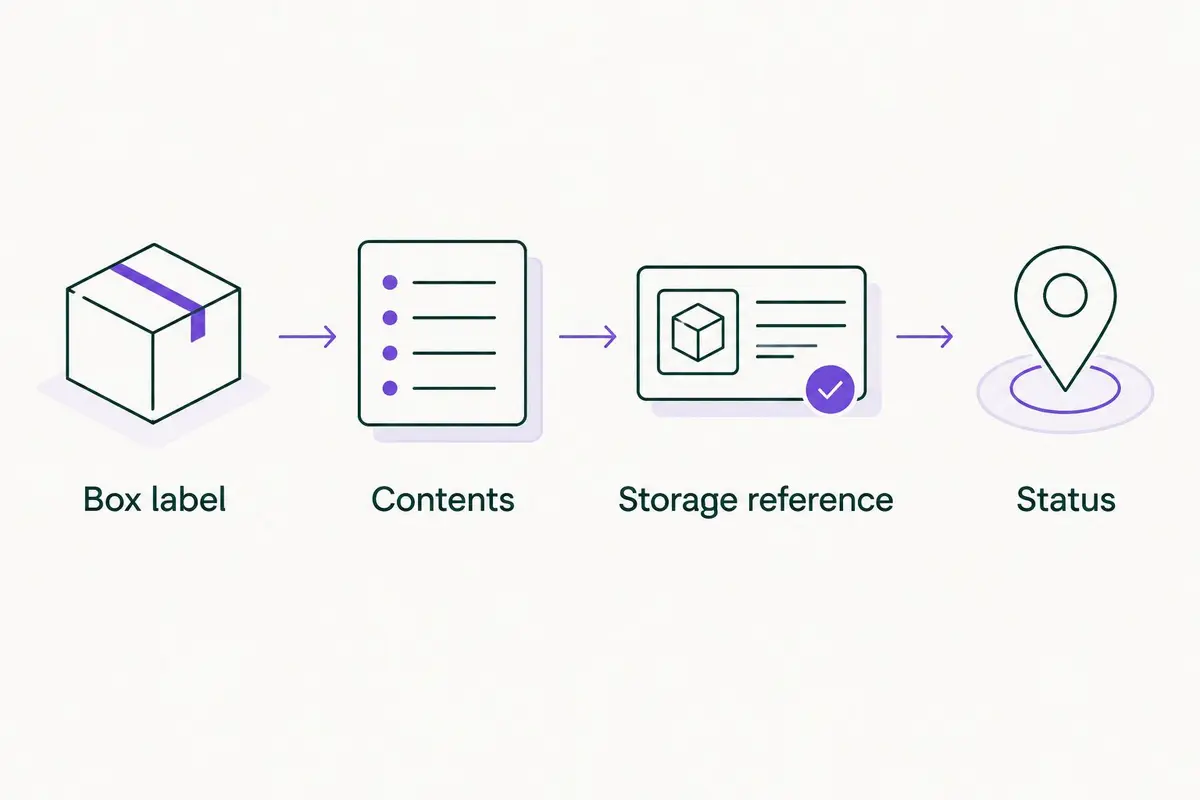
Keep your own box label separate from the provider's storage reference.
This is the checkpoint that makes the workflow useful. A detailed contents list attached to the wrong storage reference still leads to the wrong return request.
Return requests and contents updates
Find and request the right box
- Search your home inventory app for the item, not just its broad category. Open the matching box record and review its contents and photos.
- Check Location, Status, and Storage reference. Confirm that the box is stored rather than already at home or awaiting pickup.
- Use the verified reference when arranging the return through the provider's available process. Record Return requested in your inventory after submitting the request.
- When the box arrives, compare its label with the record. Change Location to Home and update Last checked.
Expected result: the requested box reaches home, and your inventory no longer describes it as sitting in storage.
Endless Storage returns any box within 48 hours, according to its service description. That makes accurate box selection useful, but it does not make stored belongings immediately accessible. Keep items you need without notice at home rather than building your daily routine around a return request.
For your 2026 retrieval routine, verify the identifier before submitting the request. A correct search result is only half the task; the provider reference must also match.
Update after opening the box
- Remove retrieved items from Contents before you put the box aside. If you use individual item records, update their locations too.
- Add anything newly packed into the box. Replace the contents photo when the old image no longer represents what is inside.
- Keep the same box label if you are continuing to use that box record. Update the contents rather than renaming the record after its newest item.
- Before sending the box back, repeat the contents search and handoff checks.
Expected result: the record describes the box as it exists now, not as it existed during the original packing session.
Second workflow: update an item whenever it changes boxes
Box-level tracking works until you start moving belongings between containers. If you regularly retrieve one item and repack it elsewhere, add an item-level workflow.
Best for frequent repacking: an item record with a current box field. It gives you a direct place to check where a specific belonging went. The drawback is maintenance: a record left unchanged after a move becomes misleading.
- Create an item record with a searchable name and a field called Current box.
- Enter the exact permanent box label in Current box. Use the same spelling as the box record.
- When the item moves, update Current box, remove it from the old box's contents, and add it to the new box's contents.
- Search the item name and check both box records before closing the destination box.
Treat those edits as one packing task. Do not update the item record today and leave the box summaries for another day.
For a 2026 household inventory with mixed tracking, use item records selectively. Keep ordinary grouped contents at box level, and add individual records for belongings you repeatedly search for or move.
Troubleshooting
The search finds several boxes
Generic descriptions are the problem. Replace clothes with recognizable details such as garment type, color, and intended wearer. Check the contents photos before requesting a return; do not assume the first search result is correct.
The storage reference does not match
Compare the copied identifier with the provider's record, including punctuation and any leading characters. Keep your own box label unchanged while correcting the reference. If the match remains unclear, ask the provider to resolve it before arranging delivery.
The app says stored, but the box is at home
Update Location and Status when the box arrives, not after unpacking. Then remove retrieved items from its contents. Separate arrival from repacking so an unopened box at home does not remain marked as externally stored.
Two people edit the same contents
Assign one person to confirm the final record before closing the box. Other household members can contribute descriptions, but the person sealing it checks the actual contents against the record. Record the verification date so everyone can see the last confirmed version.
An export loses your photos
Check the export before relying on it as a backup. Open a sample record and confirm that the descriptions, box labels, and image files remain accessible. If photos are not included, save them separately using filenames tied to the permanent box label.
Customize your workflow
Start with the smallest system you will maintain. Keep the box record as the main lookup point, then add household-specific details only when they answer a real retrieval question.
- Add a seasonal tag when you need to find related boxes together.
- Add an owner field when several people store similar belongings.
- Keep a separate note for items intentionally left at home so they do not appear in stored-box contents.
- Check records during packing and returns, rather than creating an unrelated daily inventory task.
Before expanding your 2026 storage system, make a practice search. Ask someone else to find a named item and identify the box reference without your help. If they need your memory to finish, improve the description or matching fields.
FAQ
What's the best way to connect a home inventory app to a storage account?
Match each inventory box record to the provider's box reference. Keep contents in the inventory app, preserve your own permanent label, and verify the provider reference before requesting a return.
Does this workflow automatically sync my inventory app?
No. This guide uses manual matching and record updates, so it does not require an automatic connection between your inventory app and storage account.
Should I track every item or just each box?
Start with one record per box. Add item records for belongings you repeatedly search for or move between boxes; individual records require more maintenance.
What should I put on a storage box label?
Put a unique, permanent identifier on the box and use that identifier as its inventory record title. Store the provider's reference in a separate field rather than replacing your label.
How quickly can Endless Storage return a box?
Endless Storage returns any box within 48 hours, according to its service description. Keep belongings you need immediately at home rather than depending on a storage return.
What if I remove something and send the box back?
Remove the item from the box contents before returning the box to storage. Update any individual item record and replace photos that no longer show the current contents.
How do I keep my household inventory accurate in 2026?
Update records when boxes are packed, handed over, returned, or repacked. Verify the label, contents, location, status, and provider reference at those checkpoints.
One last thing
The most useful inventory test is a search by someone who did not pack the box. Ask them to locate one specific belonging and identify its storage reference. A record that passes that test is useful without relying on your memory.
Do this before pickup, while corrections are still easy. Better descriptions beat more fields.