
8 Options for the Best Way to Store Old Photos in 2025
From Dusty Shoeboxes to Digital Fortresses: Preserving Your Priceless Memories
Old photographs are more than just paper and ink; they are irreplaceable portals to our past, capturing fleeting moments, cherished faces, and family histories. Yet, these fragile treasures are under constant threat from time, light, humidity, and simple neglect. Many of us have inherited shoeboxes overflowing with faded prints or have digital archives scattered across old devices, unsure of the proper steps to protect them for future generations. The fear of losing these memories is real, but the solutions are more accessible than ever before.
Finding the best way to store old photos isn't about choosing one single method. It's about understanding the options available to create a preservation strategy that fits your collection, budget, and lifestyle. This guide moves beyond generic advice to provide a detailed roundup of top-tier physical and digital storage methods. We will explore specific materials, ideal environmental conditions, and modern services that can safeguard your photographic legacy. From archival boxes to secure cloud backups, you will learn how to ensure your most precious moments remain vibrant and protected for decades to come.
1. Archival Storage Boxes with Acid-Free Materials
For those seeking the gold standard in physical preservation, archival storage is the definitive best way to store old photos for long-term protection. This method involves using professional-grade, acid-free materials that prevent the chemical degradation that causes images to fade, yellow, and become brittle. Unlike standard cardboard boxes or plastic bins, which can release harmful chemicals, archival boxes, folders, and sleeves are made from pH-neutral (or slightly alkaline), lignin-free materials. This is the same approach used by institutions like the National Archives and the Getty Research Institute to protect irreplaceable historical artifacts for centuries.
How Archival Storage Works
The core principle is creating a chemically stable environment. Acidic materials, often found in everyday paper and cardboard, slowly break down, releasing gases that accelerate the deterioration of photo paper and emulsions. Archival-quality products are specifically manufactured to be chemically inert. This ensures that your cherished memories aren't slowly being damaged by their own container.
This summary highlights the core technical specifications that make archival storage so effective.
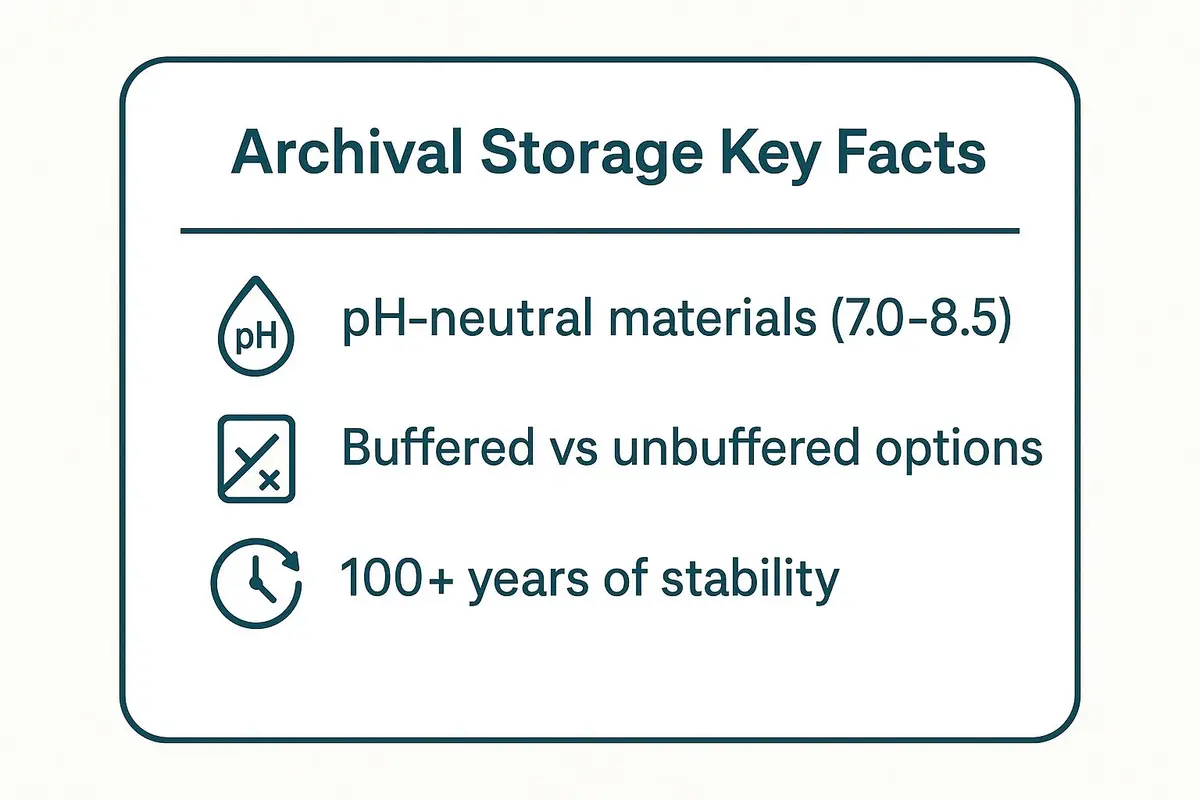
These key facts show why archival materials provide superior, long-lasting protection compared to standard consumer-grade storage. By choosing materials with the right pH level and composition, you can create a safe harbor for your photos that lasts for generations. You can find more details on how to handle various types of media by exploring specialized storage solutions for pictures.
Practical Tips for Implementation
To get the most out of archival storage, follow these professional tips:
- Segregate Your Photos: Use buffered (alkaline) materials for black-and-white photos, as their paper and silver content benefit from the alkaline reserve. For color photos and negatives, stick to unbuffered, pH-neutral materials to avoid potential color shifts.
- Store Horizontally: Store photo boxes flat whenever possible. Storing photos vertically can cause them to bend or sag over time, leading to physical damage.
- Control the Environment: Place your archival boxes in a cool, dark, and dry location. Aim for a stable temperature between 60-70°F and relative humidity between 30-50%. Avoid attics and basements where conditions fluctuate.
- Label with Pencil: Never use ink pens or markers to label your boxes or folders. Ink can bleed, fade, or even off-gas, potentially damaging the contents. A simple graphite pencil is the archival standard.
2. Digital Scanning and Cloud Storage
For ultimate accessibility and protection against physical loss, digitizing your photos is a crucial step. This method involves converting your physical prints, negatives, and slides into high-resolution digital files and then storing them on secure cloud platforms. This not only creates a permanent, non-degrading backup of your memories but also makes them easily shareable and viewable on any device, anywhere in the world. Leading services like Google Photos and Amazon Photos, alongside professional digitization companies such as ScanMyPhotos.com, have made this approach a cornerstone of modern photo preservation.
How Digital Scanning Works
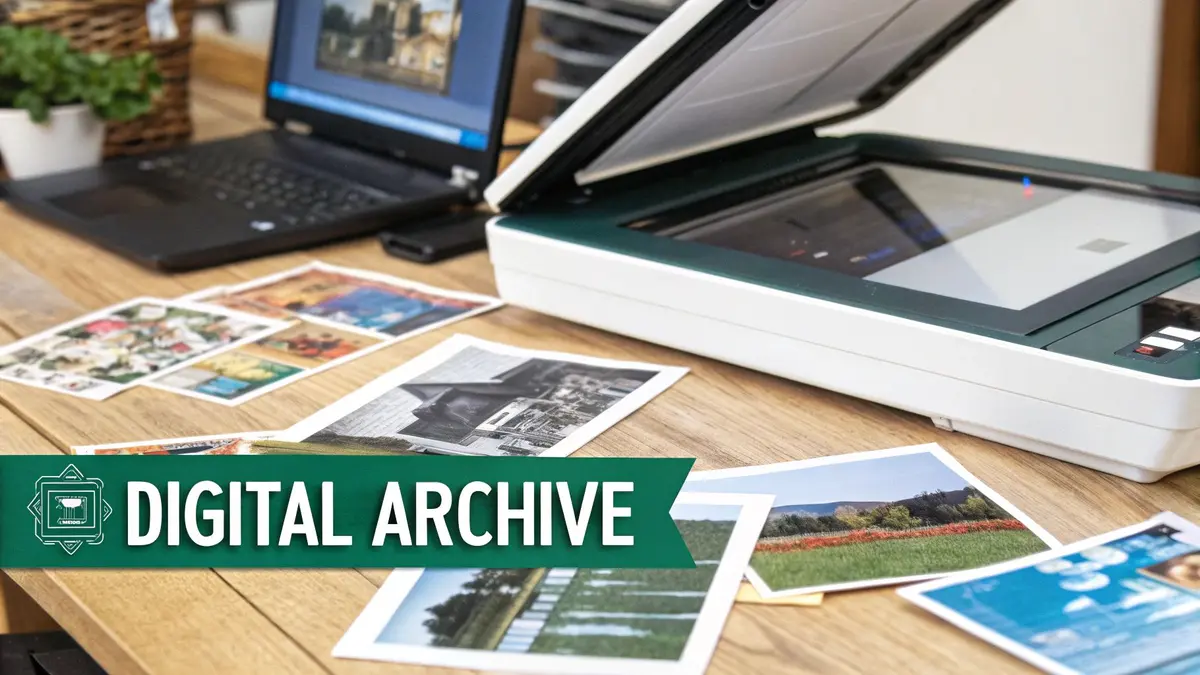
The process starts with a high-quality scanner that captures a detailed digital replica of the original photograph. The goal is to create a digital master file that retains all the detail and color information of the print. Once scanned, these files can be stored locally on a hard drive and, more importantly, uploaded to a cloud storage service. This cloud backup protects your images from local disasters like fire, flood, or hard drive failure, ensuring they are preserved indefinitely. This digital-first approach offers a robust solution for safeguarding your legacy against physical damage.
This dual strategy of local and cloud storage creates redundancy, a key principle in digital archiving. High-resolution scans can result in large files, so when migrating to digital storage, managing file sizes efficiently is crucial. For those looking to optimize their digital archive, exploring a professional's guide to smarter file compression can provide valuable techniques for balancing quality with storage space.
Practical Tips for Implementation
To properly digitize your collection and secure your digital files, follow these best practices:
- Scan at High Resolution: Scan your prints at a minimum of 600 DPI (dots per inch) for archival purposes. For smaller photos or if you plan to make enlargements, use 1200 DPI.
- Choose the Right File Format: Save your master archival copies as uncompressed TIFF files to preserve maximum detail. For everyday sharing and viewing, create smaller JPEG copies.
- Organize and Add Metadata: Create a logical folder structure and use a consistent file naming convention (e.g., YYYY-MM-DD_Event_001.tif). Embed metadata by adding tags for dates, locations, and people in the photo using software like Adobe Lightroom.
- Follow the 3-2-1 Backup Rule: Keep three copies of your digital photos on two different types of media, with one copy stored off-site (the cloud serves this purpose perfectly).
3. Photo Albums with Archival Pages
For those who want to enjoy their photographs in a more traditional, display-ready format, archival photo albums offer an elegant and safe solution. These aren't the magnetic "magic" albums of the past, which often contained acidic adhesives that destroyed photos. Modern archival albums combine the classic experience of flipping through memories with the protective science of preservation. They use acid-free, lignin-free paper pages and safe mounting methods, ensuring that each photo is protected from chemical damage, fingerprints, and environmental exposure while remaining easily accessible for viewing.
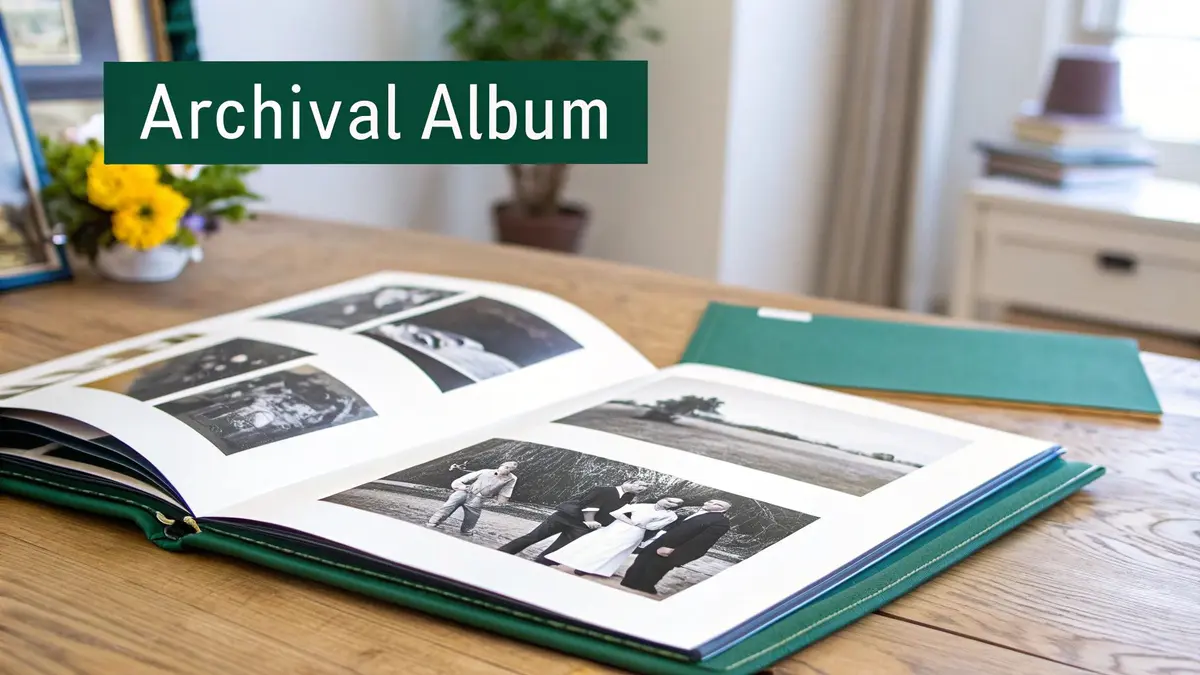
This approach is popular among wedding photographers, genealogists, and institutions like the Library of Congress that need to balance preservation with accessibility. By choosing an album with high-quality materials, you create a beautiful heirloom that doubles as a secure storage system. This is a fantastic way to store old photos if you prioritize both protection and presentation, turning your collection into a story you can share. For more ideas on sorting your collection before placing it in an album, you can get guidance on how to organize family photos effectively.
Practical Tips for Implementation
To ensure your photo album provides maximum protection and longevity, follow these best practices:
- Use Photo Corners: Always opt for archival photo corners or sleeves instead of glue or adhesive tape. Corners allow photos to be removed or replaced without damage and create a small air gap that helps prevent emulsions from sticking to the page.
- Choose Removable Pages: Albums with binder-style or post-bound construction offer flexibility. You can easily add, remove, or rearrange pages as your collection grows or as you decide to reorganize your story.
- Store Albums Vertically: Unlike storage boxes, photo albums are best stored upright on a sturdy shelf, like books. Stacking them flat can put immense pressure on the photos and bindings, leading to damage over time.
- Include Archival Notes: Use an archival-safe pen or slip of acid-free paper to add context next to your photos. Documenting names, dates, and locations on a separate piece of paper prevents ink from ever touching the photograph itself.
4. Climate-Controlled Storage Units
For those with large collections or who lack a suitable environment at home, a professional climate-controlled storage unit represents one of the best ways to store old photos securely. These facilities go beyond standard self-storage by offering precise temperature and humidity regulation, creating the stable conditions essential for long-term preservation. This method is trusted by institutions ranging from corporate archives managed by companies like Iron Mountain to fine art galleries and museums that need to protect invaluable assets from environmental damage.
How Climate-Controlled Storage Works
The primary goal is to eliminate the extreme fluctuations in temperature and humidity common in attics, basements, or standard garages. These units use commercial-grade HVAC systems to maintain a consistent environment, typically holding temperatures between 60-70°F and relative humidity in the ideal 30-50% range. This stability prevents the cycle of expansion and contraction that can warp photo paper, crack emulsions, and encourage mold growth. Advanced facilities may also include air filtration systems to remove airborne pollutants that can accelerate chemical decay.
By entrusting your collection to a specialized environment, you are outsourcing the most difficult part of archival preservation: environmental management. You can discover more about the specific advantages by reading about the benefits of climate-controlled storage.
Practical Tips for Implementation
To maximize the effectiveness of a climate-controlled unit, follow these professional guidelines:
- Combine with Archival Boxes: Never place loose photos directly in a storage unit. For ultimate protection, first place your photos in archival-quality sleeves and boxes, then store those boxes within the unit. This adds a crucial layer of defense.
- Visit the Facility First: Before signing a contract, tour the facility to verify its cleanliness and security, and ask to see records of their climate monitoring. Ensure they meet the advertised standards.
- Maintain a Detailed Inventory: Create a comprehensive list or photo catalog of everything you are placing in storage. This is vital for insurance purposes and for locating specific items later without having to unpack everything.
- Elevate Your Items: Do not place boxes directly on the concrete floor. Use pallets or shelving to keep them elevated, protecting them from potential moisture issues or minor flooding.
5. Home Fireproof Safes for Photos
For protecting your most irreplaceable photographs from catastrophic events like fire and flood, a home fireproof safe is an unparalleled solution. This method goes beyond archival preservation by creating a hardened physical barrier against the most destructive forces. Specialized safes, such as those made by SentrySafe or Honeywell, are engineered to keep internal temperatures below critical levels during a fire, preventing paper and photographic materials from igniting or being destroyed by extreme heat. This makes a fireproof safe the best way to store old photos that are truly one-of-a-kind.
How Fireproof Safes Work
The core function of a fireproof safe is to insulate its contents. They are typically constructed with a composite material of gypsum, concrete, and other proprietary substances sealed between two layers of steel. When exposed to high heat, the moisture trapped within this insulation material turns to steam, a process that absorbs a significant amount of heat energy and keeps the internal temperature of the safe well below the combustion point of paper (around 451°F or 233°C). This ensures that even in a severe house fire, your most precious family photos and negatives have a high chance of survival.
Practical Tips for Implementation
To properly use a safe for photo storage, consider these professional recommendations:
- Choose a Document-Specific Fire Rating: Look for safes with a UL (Underwriters Laboratories) Class 350 rating, which guarantees the interior will not exceed 350°F for a specified duration (e.g., one or two hours). This is crucial for protecting paper and photos.
- Control Internal Moisture: Safes are airtight, which can trap moisture. Place desiccant packets (silica gel) inside to absorb excess humidity and prevent mold, mildew, or photos sticking together. Replace these packets every few months.
- Combine with Archival Sleeves: Do not place photos directly against the safe's interior. First, put them in acid-free sleeves or folders to protect them from both chemical degradation and potential moisture condensation on the safe's walls.
- Bolt it Down: For added security against theft, ensure your safe is properly bolted to the floor or a structural element of your home.
While fireproof safes offer dedicated protection for your photo collection, also consider investing in general home fire safety equipment; for instance, you can consult a comprehensive buying guide for home fire blankets to enhance overall safety.
6. Polyethylene Sleeves and Archival Envelopes
For individual protection against the most common threats, using polyethylene sleeves or archival envelopes is a highly effective way to store old photos. This method involves encasing each photograph in its own chemically stable, transparent sheath. Made from inert plastics like polyethylene or polypropylene, these sleeves provide a direct barrier against fingerprints, dust, spills, and atmospheric pollutants, all while allowing you to view the image without direct handling. Major suppliers like Print File and Archival Methods produce these materials to museum-grade standards, making this professional-level protection accessible for home collections.
How Individual Sleeving Works
The core benefit of this method is isolation. Each photo is sealed in its own microenvironment, preventing it from sticking to adjacent photos and protecting its delicate emulsion from scratches. Unlike cheap, flimsy "photo-safe" plastics, archival sleeves are specifically designed to be chemically inert. They have passed the Photographic Activity Test (PAT), an industry standard that guarantees the material will not react with or degrade photographic materials over time. This prevents the chemical leaching that often occurs with PVC (polyvinyl chloride) sleeves, which can cause irreparable damage.
This individual encapsulation is the best way to store old photos that are handled frequently or are particularly valuable, providing both visibility and security.
Practical Tips for Implementation
To properly implement this storage technique, follow these professional guidelines:
- Insist on PAT-Tested Materials: Only purchase sleeves or envelopes explicitly certified as having passed the Photographic Activity Test (PAT). This is the non-negotiable standard for archival safety.
- Handle with Care: Always wear clean cotton or nitrile gloves when placing photos into sleeves. This prevents fingerprints and natural skin oils from getting trapped against the photo surface for decades.
- Avoid PVC at All Costs: Never use sleeves made from PVC, often found in older photo albums and office supplies. PVC breaks down over time, releasing acids that will yellow and destroy your photos. Look for polyethylene or polypropylene instead.
- Combine with Box Storage: Sleeved photos should not be left loose. Place them vertically or horizontally within an archival storage box for structural support and added protection from light and environmental shifts.
- Allow for Airflow: While sleeves are protective, a completely airtight seal can trap moisture. High-quality sleeves are designed to allow for minimal air exchange, preventing condensation buildup in fluctuating humidity.
This method of careful, individual protection is similar to how you might store other delicate seasonal items. You can explore these preservation principles further by reading about safe long-term storage for decorations.
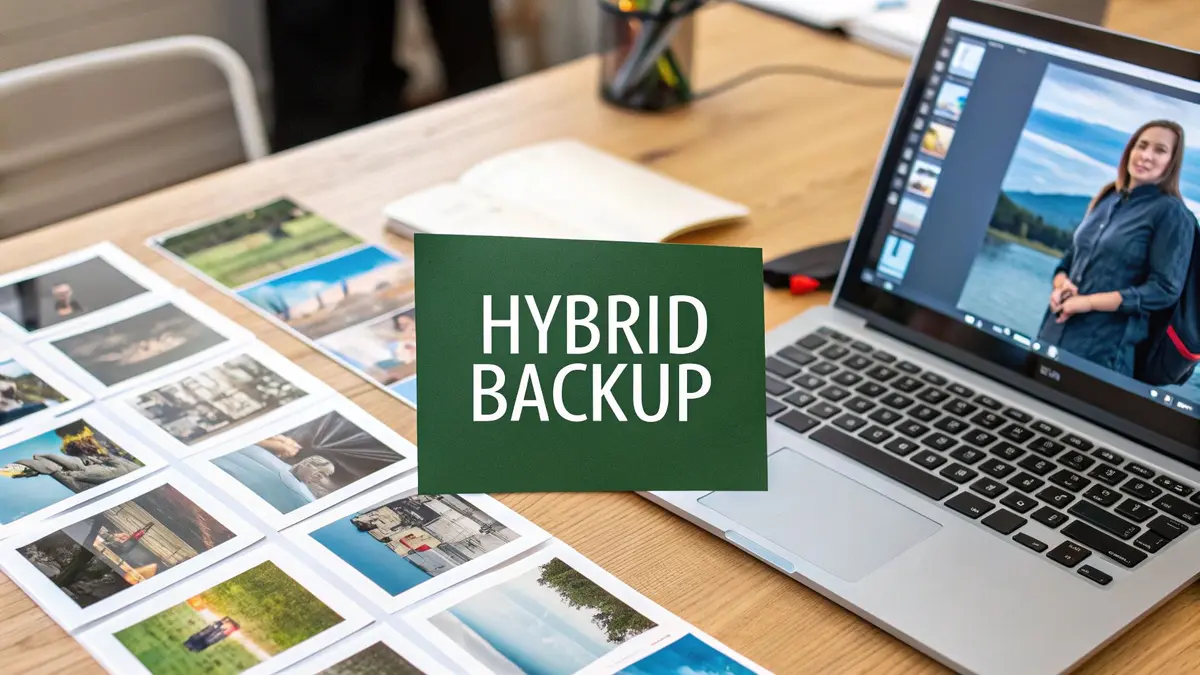
7. Hybrid Digital-Physical Systems
For those who want the ultimate in both accessibility and long-term security, a hybrid digital-physical system represents the most comprehensive way to store old photos. This approach combines the immediate access of digital scans with the irreplaceable authenticity of proper physical storage. By creating redundant copies, you build a powerful safeguard against data loss, physical damage, and technological obsolescence, ensuring your memories are protected on all fronts. This dual-system strategy is used by professional archivists and major institutions to maximize both preservation and usability.
How a Hybrid System Works
The core idea is to treat your physical and digital collections as two halves of a whole. First, you scan your original photos at a high resolution to create a digital archive. This digital copy allows for easy sharing, viewing, and cloud backup. Simultaneously, you store the original physical prints in archival-quality materials (as detailed in item #1). This creates a "best of both worlds" scenario where digital files provide convenience, while the physical originals serve as the ultimate, tangible backup, safe from digital corruption or file format failures.
This summary highlights why a hybrid approach offers robust, multi-layered protection.
Practical Tips for Implementation
To build a successful hybrid system, focus on creating a clear link between your physical and digital assets:
- Prioritize High-Value Photos: Begin by scanning your most important or fragile photos first. This ensures your most cherished memories are duplicated immediately.
- Use a Consistent Naming Convention: Name your digital files in a way that corresponds to their physical location. For example, a file named
1985-12-25_Box-A_Folder-03_001.tifinstantly tells you where to find the original print. - Create a Master Catalog: Use a simple spreadsheet or dedicated software to catalog your collection. Note the file name, a brief description of the photo, and its physical storage location.
- Verify Your Backups: Regularly check both your digital backups (cloud and external drives) and your physical storage conditions to ensure everything remains intact and uncorrupted.
To delve deeper into this comprehensive method, you can explore more details on creating a hybrid system for your images by reviewing guidance on storing photographs securely.
8. Photo Scanning for Digital Archiving
Creating digital copies through photo scanning is a crucial step in a modern preservation strategy, offering a powerful backup against physical loss, theft, or damage. By converting your prints, slides, and negatives into high-resolution digital files, you create a permanent, shareable, and easily accessible archive. This method doesn't replace proper physical storage but complements it, ensuring your memories survive even if the original prints are compromised by fire, floods, or simple aging. It is arguably the most secure way to store old photos for future generations.
How Photo Scanning Works
The process involves using a scanner to capture a high-resolution image of a physical photograph. This can be done with a flatbed scanner, a dedicated photo scanner, or even a specialized mobile app. The goal is to create a digital file (like a TIFF or high-quality JPEG) that accurately represents the original in detail and color. Once digitized, these files can be stored on multiple devices, shared online, and backed up to the cloud, protecting them from the physical world's vulnerabilities.
This approach transforms your tangible but fragile memories into a versatile and resilient digital format. It also unlocks new possibilities, like creating digital photo books, sharing albums with family across the globe, or restoring faded colors with editing software.
Practical Tips for Implementation
To ensure your digital archive is of the highest quality, follow these scanning best practices:
- Choose the Right Resolution: For standard prints, scan at a minimum of 600 DPI (dots per inch). For slides and negatives, which contain more detail in a smaller area, aim for 2400 DPI or higher. This ensures you can create large prints from the digital file later without losing quality.
- Use the Right File Format: Save your master copies as TIFF (Tagged Image File Format) files. TIFFs are "lossless," meaning they preserve all the original image data without compression. For sharing, you can create smaller JPEG copies from these master files.
- Clean Before You Scan: Gently wipe photos with a soft, lint-free microfiber cloth to remove dust and fingerprints before scanning. Any specks on the photo or the scanner glass will appear in your digital copy.
- Organize as You Go: Create a clear folder structure and a consistent file naming system before you start scanning. A good system might be "Year-Month-Event_Number" (e.g.,
1985-07-FamilyVacation_001.tiff). This makes finding specific images much easier later.
Top 8 Photo Storage Methods Comparison
Building Your Personal Archive: Your Next Steps to Photo Preservation
Protecting your old photos is a project of the heart, ensuring that your personal history and the faces of loved ones are preserved for the next generation. We've journeyed through a variety of distinct methods, from the hands-on, tactile approach of archival boxes and photo albums to the high-tech security of cloud storage and the robust protection of a home safe. The key takeaway is that the best way to store old photos is rarely a single, one-size-fits-all solution. Instead, it’s a thoughtful, layered system tailored to your specific collection, living space, and personal goals.
For many, especially those in urban apartments or dealing with limited space, a hybrid approach offers the most robust and practical protection. By combining methods, you create a powerful preservation strategy. For instance, pairing digital scanning with physical storage in a climate-controlled unit ensures your memories are safe from both digital data loss and physical degradation. This dual-pronged defense is the gold standard for long-term security.
Your Action Plan for Photo Preservation
The most critical step is to move from intention to action. That shoebox of fading prints won't organize itself. To get started, consider these immediate, actionable steps:
- Triage Your Collection: Start by sorting your photos. Separate the absolute must-saves from duplicates or less critical images. This makes the project feel less overwhelming and helps you prioritize your efforts and budget.
- Choose Your Starting Point: You don't have to do everything at once. Pick one method from this guide to implement this month. Perhaps it's ordering a set of archival-quality polyethylene sleeves for your most cherished prints or setting up a dedicated folder in a cloud service for your first batch of scanned images.
- Schedule It In: Treat photo preservation like any other important appointment. Block out a few hours on your calendar this weekend to begin the sorting or scanning process. Consistent, small efforts build momentum and lead to a fully preserved collection.
Beyond Storage: Celebrating Your Memories
Preserving your photos isn't just about stashing them away safely; it's about keeping the stories they represent alive. Once your images are secured, you can explore new and creative ways to enjoy them. Beyond displaying them in archival frames, some individuals explore unique ways to preserve wedding photos in jewelry, transforming a cherished moment into a wearable, intimate keepsake. This highlights the ultimate goal: to protect these images so they can continue to be shared, celebrated, and integrated into your life. By taking deliberate action now, you transform vulnerable stacks of paper into a secure, organized, and lasting personal archive that truly honors the memories they hold.
Ready to take the first, easiest step towards professional-grade photo preservation? Endless Storage offers a complete, hassle-free solution by handling the pickup, digitization, and secure climate-controlled storage for you. Start building your forever archive today without the stress and clutter.