5 min read

Organize Home Office Ideas: Smart Tips for Small Spaces

Organize Home Office Ideas: Smart Tips for Small Spaces
Published on
January 3, 2026

In a world of remote work and flexible schedules, a home office is no longer a luxury, it is an essential part of modern living. But for those in apartments or smaller homes, carving out a functional and inspiring workspace can feel like an impossible puzzle. Clutter quickly accumulates, surfaces disappear under paperwork, and productivity plummets as focus wanes. The core challenge is often not a lack of space, but a lack of an effective organizational strategy.

This guide moves beyond generic advice to provide specific, actionable organize home office ideas tailored for compact environments. We will explore ten practical systems designed to maximize every square inch and restore order to your work life. You will learn how to implement everything from vertical storage solutions and multi-functional furniture to sophisticated digital decluttering and clever off-site storage strategies.

The goal is to empower you with the tools and techniques needed to build a streamlined, efficient, and motivating home office, regardless of your available square footage. By adopting these methods, you can transform a chaotic corner into a calm, productive hub where you can do your best work. Let's dive into the solutions that will help you reclaim your space.

1. Vertical Wall Storage and Shelving Systems

When floor space is at a premium, the most effective way to organize your home office is to think vertically. Vertical storage leverages your wall height, transforming unused space into a functional and stylish organizational hub. This approach moves clutter off your desk and floor, making your workspace feel larger and more open, which is essential for small apartments or compact office nooks.

An organized home office featuring white shelving, woven baskets, a pegboard, and a wooden desk.

This method involves using wall-mounted shelves, pegboards, and modular systems to store everything from books and binders to office supplies and decorative items. Systems like IKEA’s ELVARLI or minimalist floating shelves create a clean look while providing ample storage.

How to Implement Vertical Storage

To maximize the benefits of this organize home office idea, follow these practical steps:

  • Group by Category: Arrange items by type and how often you use them. Keep frequently accessed items, like pens and notepads, at eye level and less-used items, such as archived files, on higher shelves.
  • Contain Small Items: Use stylish woven baskets or sleek acrylic bins to corral smaller supplies like chargers, sticky notes, and paper clips. This prevents shelves from looking cluttered and makes it easy to grab what you need.
  • Balance Weight and Aesthetics: Place heavier items like textbooks and binders on lower, sturdier shelves. Use upper shelves for lighter objects and decorative pieces to create visual balance and breathing room.

For those interested in a custom approach, exploring DIY floating shelf ideas can provide a tailored solution that perfectly fits your space and style.

2. Multi-Functional Furniture with Hidden Storage

In a compact home office, every piece of furniture must earn its place. Multi-functional furniture with hidden storage is one of the most effective organize home office ideas because it serves dual purposes, consolidating needs while preserving a clean, uncluttered aesthetic. This approach is ideal for small apartments where a dedicated office might also function as a living area, allowing you to hide work-related items when the day is done.

A white desk with a laptop and books, next to a gray ottoman with hidden storage in a home office.

This method involves selecting pieces that do more than one job, such as an ottoman that stores blankets and files, a desk with integrated drawers like the IKEA BEKANT, or a credenza that conceals a printer and paper supplies. These smart solutions maintain a minimalist look without sacrificing essential storage, making your workspace both productive and visually peaceful.

How to Implement Multi-Functional Furniture

To integrate this space-saving strategy into your home office, follow these practical steps:

  • Prioritize Dual-Purpose Pieces: Choose furniture that addresses your specific needs. A storage ottoman can serve as extra seating for guests, while a lift-top coffee table can transform into an ergonomic desk.
  • Use Drawer Dividers: Maximize the efficiency of built-in storage by using drawer organizers. This keeps small items like pens, cables, and stationery neatly separated and easy to find, preventing drawers from becoming a jumbled mess.
  • Opt for Mobility: Consider furniture with wheels, such as a rolling file cabinet that can be tucked under a desk. This provides flexibility, allowing you to easily reconfigure your space as your workflow changes or when you need to free up the room for other activities.

For those looking to fully embrace this clutter-reducing concept, exploring additional hidden storage ideas can unlock even more ways to keep your home office organized and serene.

3. Cable Management and Desk Organization Systems

A tangled mess of cables and cords is one of the quickest ways to make a home office feel chaotic and disorganized. Systematically managing your technology cables, cords, and charging stations reduces visual clutter, creates a cleaner aesthetic, and boosts productivity. This approach is crucial for maintaining a professional appearance during video calls and simplifying troubleshooting when tech issues arise.

This method uses dedicated tools like cable boxes, wire channels, desk grommets, and reusable ties to conceal and organize every cord connected to your computer, monitors, and peripherals. Products such as the Bluelounge CableBox or J Channel raceways hide power strips and route wires neatly along the underside of your desk, making them virtually invisible.

How to Implement Cable Management

To effectively implement this organize home office idea, follow these practical steps:

  • Group and Label: Bundle cables together by the device they belong to, not by their type. Use color-coded labels or reusable Velcro ties to easily identify which cord connects to your monitor, laptop, or printer.
  • Conceal and Contain: Use an under-desk cable management tray or a cable box to house your power strip and all the connected plugs. This single step removes the most significant source of wire clutter from view.
  • Route Wires Intentionally: Adhere cable clips or J Channel raceways to the back or underside of your desk to guide wires from your devices to the power source. This creates clean lines and prevents cords from dangling.
  • Allow for Slack: When bundling and routing, leave a little extra length in your cables. This prevents tension on the ports and allows you to move your devices slightly without having to undo your entire setup.

4. Digital Organization and Cloud Storage Integration

A truly organized home office extends beyond physical space into your digital world. Complementing physical decluttering with a robust digital organization system ensures both your tangible and virtual workspaces are efficient and clutter-free. This approach involves systematically organizing computer files, digitizing paper documents, and leveraging cloud storage to create a streamlined, accessible, and secure information hub.

This method is crucial for reducing physical paper clutter, which is a major space consumer in small home offices. Services like Google Drive, Dropbox, and Microsoft OneDrive allow you to store vast amounts of data without needing a single filing cabinet. By digitizing documents, you create searchable, secure records that can be accessed from anywhere, which is ideal for remote work and minimizing physical storage needs.

How to Implement Digital Organization

To effectively integrate this organize home office idea, follow these actionable steps:

  • Establish a Naming Convention: Create a consistent file naming system from the start (e.g., YYYY-MM-DD_ProjectName_DocumentType.pdf). This makes files instantly identifiable and sortable.
  • Create a Master Folder Structure: Before you start moving files, design a logical folder hierarchy. A common structure might be Department > Project > Year > Files. This prevents digital clutter from accumulating. For comprehensive digital efficiency, exploring various digital workplace solutions can further streamline your processes and improve overall organization.
  • Digitize and Purge: Use an app like Adobe Scan to turn paper documents into digital PDFs. Once digitized and backed up, you can confidently shred the physical copies. Regularly review and purge old, irrelevant files quarterly to keep your digital space clean.

For those looking to manage sensitive paperwork, learning how to organize important documents digitally is a key first step toward a paperless office.

5. Drawer Dividers and Desktop Organizers

A clean desk surface is crucial for a productive mindset, but essential supplies still need to be accessible. Drawer dividers and desktop organizers are the solution, creating a specific home for every small item. This method tackles the root of surface clutter by moving pens, paper clips, and chargers into neatly compartmentalized spaces, keeping them out of sight but within easy reach.

An open white drawer organizer filled with colorful pens, rubber bands, and other office supplies.

This approach uses tools like bamboo desk caddies, expandable drawer organizers, and clear acrylic trays to transform chaotic drawers into efficient systems. By assigning a compartment for each category of item, you eliminate the time wasted digging for a specific tool, making your workflow smoother.

How to Implement Drawer and Desktop Organization

To effectively use dividers as one of your top organize home office ideas, follow these steps:

  • Measure and Plan: Before buying, measure the internal dimensions of your drawers. Plan what you need to store in each one to select organizers that fit both the space and your supplies.
  • Group and Prioritize: Categorize all your small items like writing tools, sticky notes, and tech accessories. Place the most frequently used items in the most accessible spots, such as a desktop organizer or the top desk drawer.
  • Use Clear or Labeled Containers: Opt for clear containers so you can see the contents at a glance. For opaque bins or deeper drawers, use a label maker to clearly mark what’s inside, which is especially helpful for shared family workspaces.

6. Seasonal Item Rotation and Off-Season Storage

A home office often serves multiple purposes beyond daily work, accumulating seasonal decorations, tax documents, or project-specific materials that aren't needed year-round. An effective organize home office idea is to implement a seasonal rotation system, which keeps your immediate workspace free of clutter by storing non-essential items elsewhere. This strategy ensures that only relevant materials occupy your prime real estate, making your office feel more spacious and functional.

This approach involves systematically swapping out items based on the time of year or project lifecycle. For instance, holiday decor, tax season files, or seasonal marketing collateral can be packed away until needed, freeing up valuable drawers and shelf space for your current priorities.

How to Implement Seasonal Rotation

To successfully manage your seasonal items and reclaim your office space, follow these practical steps:

  • Create a Rotation Calendar: Schedule specific dates for swapping items. For example, mark early January to store holiday decorations and late April to archive tax documents. Setting reminders ensures the process becomes a consistent habit.
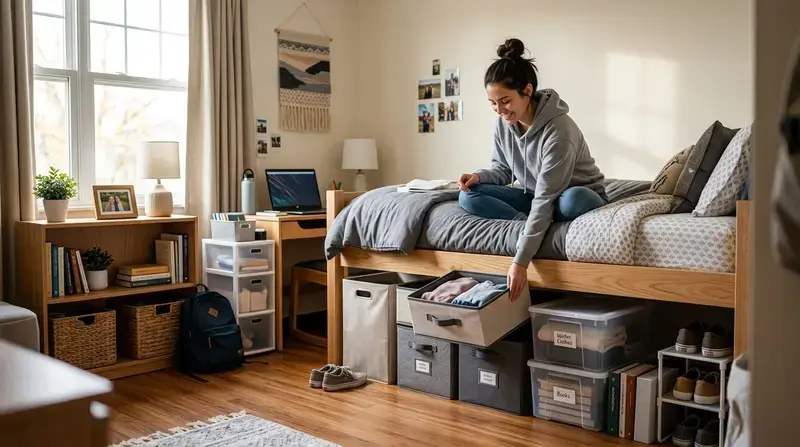
  • Use Clear, Labeled Containers: Store off-season items in clear plastic bins so you can quickly see the contents. Use large, bold labels detailing what’s inside and for which season, like “Winter Holiday Decor” or “2023 Tax Prep.”
  • Digitize Your Inventory: Before sealing a box, take a quick photo of its contents or create a simple spreadsheet inventory. This digital record helps you locate a specific item without having to open multiple containers.

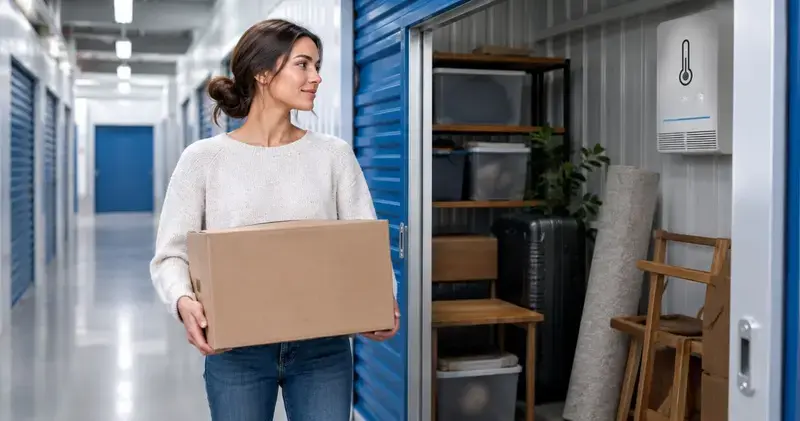
For items you only access once or twice a year, using an off-site storage solution like Endless Storage can be a game-changer. Storing these boxes in a secure, climate-controlled facility keeps them safe while maximizing your home office's daily usability.

7. Minimalist Desk Approach with Everything Stored Away

A minimalist desk philosophy prioritizes a "clean desk" where only the most essential, actively used items remain visible. Everything else is intentionally stored away in drawers, cabinets, or even offsite storage, creating an environment optimized for focus and clarity. This approach significantly reduces visual distractions, which is crucial for deep work and maintaining a professional, uncluttered background for video calls.

This method is particularly effective for those looking to reset their workspace, as it forces a conscious decision about what truly earns a spot on your desk. By clearing the surface, you also clear mental space, allowing for greater productivity and a calmer work atmosphere. It’s one of the most impactful organize home office ideas for boosting concentration.

How to Implement a Minimalist Desk

To successfully adopt this clean-desk strategy, follow these actionable steps:

  • Identify Daily Essentials: Start by removing everything from your desk. For one week, only bring back items as you absolutely need them. You will quickly discover that only a few tools, like your laptop, a single notebook, and a pen, are daily necessities.
  • Create a "Home" for Everything: Assign a specific place for every item that doesn't live on your desk. Use drawer dividers and labeled containers to keep supplies organized and accessible, ensuring they don't migrate back to your desktop.
  • Implement a 'One In, One Out' Rule: To prevent clutter from re-accumulating, adopt a policy where bringing a new item into your office requires removing an old one. This maintains equilibrium and forces you to evaluate every purchase.

For those inspired to take this philosophy beyond the desk, learning how to start minimalism can transform your entire home and mindset.

8. Zone-Based Organization and Activity-Specific Areas

To dramatically improve workflow and reduce mental clutter, divide your home office into distinct functional zones. This organize home office idea involves creating dedicated areas for specific tasks, such as administrative work, creative projects, or digital tasks. By assigning a purpose to each part of your space, you keep related materials together, minimize time spent searching for items, and create a more efficient and intuitive environment.

This method is especially powerful in small apartments where one room must serve multiple functions. An L-shaped desk, for example, can naturally create a "computer zone" on one side and an "analog zone" for writing or sketching on the other. This spatial organization streamlines your process by ensuring everything you need for a task is within arm's reach.

How to Implement Zone-Based Organization

Follow these practical steps to effectively create activity-specific areas in your home office:

  • Map Your Workflow: Before moving anything, sketch a simple layout of your office. Identify your primary activities (e.g., computer work, filing, creative design) and assign a dedicated zone for each based on workflow and accessibility.
  • Equip Each Zone: Store all necessary supplies and tools directly within their corresponding zone. Keep pens, notepads, and sticky notes in your administrative area, and design tools or craft supplies in your creative space.
  • Define with Furniture and Color: Use furniture placement, area rugs, or even color-coded accessories to visually separate your zones. This reinforces the psychological boundary of each area, helping you focus on the task at hand.

9. Regular Purging and Decluttering Schedules

An organized home office doesn't stay that way on its own; it requires consistent maintenance. Establishing a regular purging and decluttering schedule is the most effective way to prevent the slow creep of clutter and ensure your organizational systems remain functional over time. This proactive approach turns tidying from a massive, once-a-year project into a manageable, recurring habit.

This method involves setting aside dedicated time, whether monthly or quarterly, to review every item in your office. It's about making conscious decisions about what deserves to stay, preventing the accumulation of old papers, broken pens, and outdated tech. Think of it as a scheduled system reset, championed by experts like Marie Kondo and The Minimalists, that keeps your workspace optimized for productivity.

How to Implement a Decluttering Schedule

To make this organize home office idea a sustainable practice, follow these actionable steps:

  • Schedule It Like an Appointment: Block out time on your calendar for a decluttering session and treat it as a non-negotiable commitment. A two-hour session once a quarter is a great starting point.
  • Use the Four-Box Method: Set up four distinct boxes or zones labeled: Keep, Donate/Sell, Trash, and Relocate. Sorting every item into one of these categories removes guesswork and streamlines decision-making.
  • Ask Critical Questions: For each item, ask yourself, "Have I used this in the last six months?" and "Does this item support my current work needs?" If the answer to both is no, it's time to let it go.
  • Act Immediately: Once your session is done, take the trash out, put the donation box in your car, and return relocated items to their proper homes. This immediate action provides a satisfying sense of completion and prevents second-guessing.

For a structured approach, using a comprehensive decluttering checklist can guide you through the process, ensuring no area is overlooked.

10. Paper Management System with Digitization Strategy

Even in a digital-first world, paperwork can quickly overrun a home office. A hybrid paper management system tackles this issue by combining an organized physical filing method with a robust digitization strategy. This approach drastically reduces physical clutter, making it easier to find important documents and freeing up valuable desk and drawer space, a critical goal when you need to organize your home office in a small apartment.

This method involves creating a clear system for incoming papers, deciding what to keep physically, what to scan and digitize, and what to discard. Using tools like a Fujitsu ScanSnap scanner or services like Adobe Document Cloud, you can convert physical documents into searchable digital files, making them accessible from anywhere while the originals are either securely stored or shredded.

How to Implement a Paper Management System

To effectively manage paper and organize your home office, follow these actionable steps:

  • Establish Retention Rules: Decide how long to keep different types of documents, following guidelines for tax records or contracts. Create a schedule to shred outdated paperwork regularly.
  • Digitize on Arrival: Make it a habit to scan new mail, receipts, and documents as soon as they come in. Use software with Optical Character Recognition (OCR) to make the PDFs searchable, saving you time later. For a truly organized home office, adopting robust document management best practices is crucial for handling both physical and digital files efficiently and securely.
  • Create Mirrored Systems: Organize your digital folders with the same logic as your physical file cabinet (e.g., "Taxes > 2023," "Home > Mortgage Documents"). This consistency makes locating any document, physical or digital, intuitive and fast.

10 Home Office Organization Ideas Compared

Method 🔄 Implementation ComplexityResources ⚡ Resource Requirements📊 Expected Outcomes💡 Ideal Use Cases⭐ Key Advantages
Vertical Wall Storage and Shelving SystemsMedium — requires planning and wall installationMaximize floor space; visible, accessible storageSmall apartments; compact home offices; urban residents⭐ High space efficiency; decorative; easy visibility
Multi-Functional Furniture with Hidden StorageMedium — selection & occasional customizationConsolidated storage; professional, streamlined lookSmall-space dwellers wanting integrated solutions⭐ Reduces furniture count; multi-use functionality
Cable Management and Desk Organization SystemsLow–Medium — initial routing and labelingCleaner desk; fewer tech issues; improved safetyRemote workers and tech-heavy setups⭐ Improves aesthetics and reliability; safer workspace
Digital Organization and Cloud Storage IntegrationMedium — system setup and habit changeLess physical paperwork; searchable, remote accessPeople moving, remote teams, scaling needs⭐ Scalable; searchable archives; off-site access
Drawer Dividers and Desktop OrganizersLow — simple installation and placementContained small items; tidy drawers; quick accessThose with desk clutter wanting immediate improvement⭐ Inexpensive; customizable; quick win
Seasonal Item Rotation and Off-Season StorageMedium — inventorying and schedulingYear-round usable space; protected off-season itemsUsers with holiday/seasonal supplies; Endless Storage users⭐ Frees active space; preserves seasonal items
Minimalist Desk Approach with Everything Stored AwayMedium — requires discipline and routinesFewer distractions; professional appearance; easier cleaningPeople needing focus, frequent video calls, movers⭐ Boosts focus; low-maintenance once adopted
Zone-Based Organization and Activity-Specific AreasMedium–High — requires planning & layout changesImproved workflow; reduced searching; task separationMulti-taskers; shared spaces; creative professionals⭐ Enhances productivity; clarifies workflows
Regular Purging and Decluttering SchedulesLow–Medium — recurring time commitmentPrevents re-accumulation; frees space; sustained systemsChronic clutterers; those seeking long-term order⭐ Maintains organization; reveals useful items
Paper Management System with Digitization StrategyMedium–High — scanning, policies, and retentionReduced paper volume; searchable digital archives; compliancePeople with many documents; moving or downsizing⭐ Saves space; improves retrieval; secures records

Building a Lasting System for Home Office Success

Transforming your home office from a source of stress into a hub of productivity isn't a single, monumental task. Instead, it is the result of implementing and maintaining a series of small, intentional systems. Throughout this guide, we've explored a variety of powerful organize home office ideas, from maximizing your vertical real estate with wall-mounted shelving to streamlining your digital life with cloud storage and paperless workflows. Each strategy serves a distinct purpose, but their collective power lies in creating a cohesive, sustainable environment that works for you, not against you.

The journey to an organized workspace is fundamentally about building habits. A perfectly arranged desk or a flawlessly labeled set of drawers will only remain that way through consistent effort. This is where concepts like establishing a regular decluttering schedule and adopting a minimalist desk approach become crucial. These aren't just one-time fixes; they are ongoing practices that prevent clutter from reclaiming your valuable space and mental energy.

From Ideas to Lasting Habits

The most effective approach is to view these ideas as building blocks for a personalized system. Consider the core principles we've covered:

  • Spatial Efficiency: Leveraging multi-functional furniture and vertical storage turns limitations into opportunities, a vital tactic for anyone in a small apartment or compact home.
  • Systematic Sorting: Using drawer dividers, zone-based layouts, and robust paper management systems creates a designated home for every item, eliminating the guesswork and frantic searching that kill productivity.
  • Strategic Separation: Recognizing that not everything deserves prime real estate in your immediate workspace is a game-changer. Seasonal rotation and offsite storage for archival documents or rarely used equipment are essential for maintaining a focused, clutter-free environment.

The ultimate goal is to create a workspace that feels intuitive and supportive. When your cable management is tidy, your most-used supplies are within arm's reach, and your digital files are as organized as your physical ones, you remove friction from your daily routine. This newfound clarity allows you to dedicate your full attention to your most important work, fostering creativity and reducing the cognitive load that comes from a chaotic setting.

Your Action Plan for an Organized Future

Don't feel pressured to implement every idea at once. The key to lasting change is incremental progress. Start by identifying your biggest pain point. Is it the cable spaghetti behind your monitor? The mountain of paper on your desk? The lack of storage for project supplies?

Choose one or two strategies from this list that directly address that challenge. Dedicate a weekend afternoon to setting up your new system, whether it’s installing shelves, digitizing a stack of documents, or reorganizing your drawers. Once you feel the immediate benefit of that small victory, you'll have the motivation to tackle the next area. By consistently applying these organize home office ideas, you're not just cleaning up; you're investing in a more focused, efficient, and enjoyable work life.


Ready to reclaim your workspace by moving non-essential items offsite? Endless Storage makes it simple to store your archived files, seasonal decor, and extra office equipment, delivering durable boxes right to your door and providing on-demand pickup. Free up valuable home office real estate and create the focused environment you deserve by visiting Endless Storage to get started.

Frequently Asked Questions

Unveiling the Secrets to Effortless Storage

How many states does Endless operate in?

Endless Storage is available nationwide. You pick a plan, tell us where to pickup, and we'll send a UPS van to collect, whichever state you're in.

How long will it take to get my shipping label?

Your shipping label will be sent to your email within a few minutes, if not instantaneously. It can also be accessed through your customer profile.

Where will my box be shipped to?

Your box will be shipped to one of our climate controlled self storage facilities in our closest self storage facility. Our manager will accept your package, notify you that your box has been received, and securely stored. Only our managers will have access to Endless Storage boxes.

Have additional questions?

Email us at admin@endless-storage.com click to live chat with us, or send us a message below.

Will my storage rate ever increase?

Never! We're committed to transparent pricing with no surprises. You'll lock in your rate with no hidden fees and no long-term contracts.

How quickly can I get my items back?

Fast access guaranteed! Your boxes will arrive at your doorstep within 48 hours of requesting them back. Need to check on delivery? We provide tracking information for complete peace of mind.

How flexible are the storage terms?

Totally flexible! Store month-to-month with no long-term commitment and cancel anytime.

How do I manage my account?

Everything's online! Use your account dashboard to:
• Set up automatic monthly payments
• Request box returns
• Update your address
• Order additional boxes
• Track shipments

What happens if something gets damaged?

Your boxes are insured up to $100 each. Our customer service team will help you file any necessary claims and resolve issues quickly.

What if I miss a payment?

Don't worry – we'll email you right away if there's a payment issue. Your items stay safe, though you may have temporary service interruption or late fees until payment is resolved.

How does the free trial work?

When you request our free storage kits, you'll have 30 days to send in your boxes to activate your 3 months of free storage. Think of it like starting a gym membership – your activation window begins when you receive your kits, and your full free trial begins once you send in your first box. During your free months, you'll experience our complete storage service at no cost.

When does my 30-day activation window start?

Your 30-day activation window begins when you receive your storage kits. We'll send you an email confirmation when your kits are delivered, marking the start of your activation period.

What happens if I don't send in my boxes within 30 days?

If you haven't sent any boxes for storage within your 30-day activation window, your free trial will expire and we'll begin charging the regular monthly rate of $9.99 per box. This helps ensure our storage kits go to customers who are ready to use our service.

How much does it cost to store a box?

A box costs $9.99 per month to store (plus sales tax). This price includes free shipping for standard boxes under 50 lbs. and smaller than 16"x16"x16"

How do I get my box back?

Log into your Endless Storage account, locate the box you would like returned, and simply click Return My Box.

Are boxes insured?

Yes, each box stored with us is insured for up to $100 throughout transit as well as the duration of storage within our facilities.

When will my box be shipped back to me?

Your box will be at your doorstep within 48 hours of you requesting it back.

How do I get my boxes picked up?

Store 10+ boxes? We'll pick them up for free! After your purchase, we'll contact you to schedule a convenient pickup time and arrange UPS collection.

What are the shipping and insurance details?

We trust UPS with all shipments, and every box includes $100 insurance coverage. You'll receive tracking information to monitor your items' journey.

Can I access my items in person?

Yes! Visit any of our locations by appointment. Just bring a photo ID matching your customer profile.

What items aren't allowed in storage?

For everyone's safety, we can't store hazardous materials, firearms, or perishables. All items must fit within our standard boxes.

How do I get started?

It's easy! Order your storage kit online, and we'll ship it to you within 1-2 business days. Your shipping labels will be emailed instantly and available in your account.

How do I contact customer support?

We're here to help! Email us at admin@endless-storage.com, use our live chat, or send us a message through your account.

How do I cancel my storage service?

To cancel your storage service with Endless Storage, please email your cancellation request to admin@endless-storage.com. Our team will process your request within 2 business days and confirm your cancellation via email.

What if I need more time to pack my boxes?

We understand packing takes time. However, to maintain your free trial benefits, you'll need to send at least one box within the 30-day activation window. If you need more time, you can always start with one box to activate your trial and send the rest later. You can always reach out to admin@endless-storage.com if you have any issues or concerns.

Is there a cancellation fee?

When you request our free storage kits, you're starting a 30-day window to begin using our storage service.

To avoid any charges, simply send at least one box for storage within 30 days to activate your 3-month free trial. If you decide not to use our service and don't send any boxes within the 30-day window, a one-time $50 fee will apply to cover the costs of materials and shipping. This helps ensure our storage kits go to customers who are ready to use our service.

Think of it like reserving a hotel room – we're setting aside space and sending specialized packing materials for your use. The fee only applies if you request materials but don't begin storage, similar to a hotel's no-show charge.